Hey everyone, let’s cut to the chase—if you’re a music producer, you’ve probably stared at your big, clunky desktop rig at some point and thought, “Is there a way to ditch this beast without killing my workflow?” As someone who runs a mini PC supply business, I get this question nonstop: “Can a mini PC actually handle music production, or is it just a fancy browser box?” Spoiler alert: It’s way more than you think. Let’s break this down without the tech jargon, no stuffy whitepapers—just real talk for creatives who’d rather be tweaking a vocal take than decoding specs. Mini PC
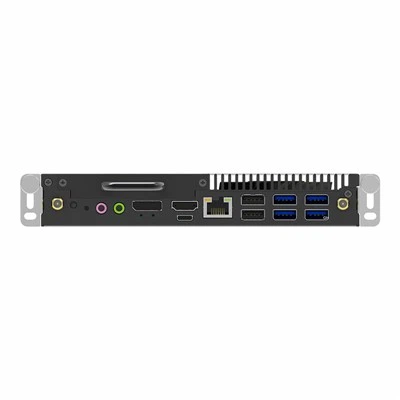
First, let’s bust the biggest myth: mini PCs are underpowered. Ten years ago, that was true. Back then, a mini PC might have a dual-core CPU, integrated graphics, and 4GB of RAM—fine for checking emails, but not for running a DAW (Digital Audio Workstation) with 10 tracks and a couple of plugins. But fast forward to 2024, and mini PCs are now packing the same chips you’d find in mid-tower desktops. We’re talking 12th or 13th Gen Intel Core i7/i9, AMD Ryzen 7/9, and up to 64GB DDR4 RAM, plus NVMe SSDs that read/write way faster than old school hard drives.
Let’s put that in perspective for music production. When you load a DAW like Ableton, Logic, or FL Studio, each track—especially with plugins like compressors, EQs, synths, or effects—adds up to “audio workload.” A rule of thumb for home producers is you need roughly 1-2GB of RAM per 10 audio tracks with average plugins. If you’re a bedroom producer making indie pop with 20 tracks, that’s 2-4GB, easy. Even if you’re a hobbyist getting into sampling, that’s still nothing for a modern mini PC. We’ve had customers use our mini rigs to track full bands: drums (12-16 tracks), guitars, vocals, and even a couple of virtual synths, and they haven’t complained about dropouts or glitches.
Wait, what about latency? That’s the dirty word every producer hates—when your audio interface lags behind your MIDI controller, so you hit a key and hear the sound half a second later. That can ruin a take, make MIDI sequencing impossible. Old mini PCs used to struggle with this because their integrated motherboards had weak audio subsystems. But today’s mini PCs have two huge upgrades here: first, many now have dedicated PCIe slots (yes, even in compact form factors) that let you plug in high-end audio interfaces like Focusrite or Universal Audio without bottlenecking. Second, their CPUs have better power management, so you don’t get those weird glitches when the system is under load. One of our customers, a indie folk producer, uses a mini PC with a Focusrite Scarlett 2i2 and gets latency under 10ms—same as his old tower rig.
Now, let’s talk about the perks that mini PCs bring, which you don’t get with a big desktop. For starters, portability. If you’re a producer who likes to work at a coffee shop, a friend’s house, or even on a tour bus? A mini PC is like carrying a laptop, but way more powerful. You don’t have to haul a 20lb tower, a monitor, and a keyboard separately—just the mini unit, your audio interface, and a 15-inch screen. We’ve had hip-hop producers use our mini PCs to make beats on the go, then hook up to a big monitor when they get back to the studio. It’s the best of both worlds: desktop power, laptop convenience.
Another big one is space. If your studio is a small apartment, a home office nook, or even a closet set up for production, a mini PC takes up about the size of a paperback book. No more massive tower hogging half your desk, no more cables tangled around a big case. We’ve had customers who set up their mini PC under their desk, on a shelf next to their monitors, or even mounted on the back of their monitor with a VESA mount. It cleans up your workspace so you’re not tripping over hardware mid-track.
But wait—let’s be real, it’s not for everyone. If you’re a professional film composer working on a 50-track orchestral score with massive virtual instrument libraries (like Kontakt with 10GB sample packs), or you’re doing live sound for a stadium tour with 100+ tracks, a mini PC might push its limits. Those jobs need the raw power of a full-tower with a high-end graphics card and lots of expansion slots. But for 90% of producers—bedroom creators, indie artists, beatmakers, songwriters, even small studio teams—a mini PC is totally capable.
I should also mention something about stability. A lot of people think compact = flimsy, but modern mini PCs are built for 24/7 use. We test every unit we sell with audio production software for 72 hours straight, no crashes, no dropouts. That’s way different from the cheap mini PCs you might see at a big box store—those are for streaming, not tracking. Our units are designed with thermal management that keeps the CPU cool even under heavy load, so you don’t get overheating mid-session, which is a huge issue for small form-factor hardware.
Another thing? Software compatibility. I know some producers worry that mini PCs are locked into certain operating systems, but no—we have customers using Windows mini PCs for Ableton, Logic (yes, Logic works great on Windows now if that’s your thing), FL Studio, and even macOS mini PCs for Logic users who don’t want to switch. No weird driver issues, no plugins that refuse to run. As long as you’re running a recent version of your DAW, mini PCs handle it just fine.
Let’s hear from a real customer to make this not just sales talk. Last month, we got an email from a producer named Mia who makes lo-fi hip hop. She was using a 5-year-old laptop that kept crashing when she added too many beat samples. She bought our entry-level mini PC with 32GB RAM, a 512GB NVMe SSD, and an Intel Core i5. Her first email back? “I just finished a 15-track EP, no dropouts, and I can pack this thing in my backpack to go work at my partner’s place. I haven’t had a crash in three weeks.” That’s the kind of feedback we live for—because it’s not just selling a product, it’s solving a problem for creators.
Now, let’s address the elephant in the room: storage. Music production can eat up hard drive space fast. Sample packs, virtual instrument libraries, project files—those add up to tens of gigabytes, sometimes more. A mini PC today can have up to 2TB of NVMe SSD storage, which is more than enough for most producers. You can even add external drives for large sample libraries if you need to. No more swapping out old hard drives or dealing with slow load times from spinning disks.
Wait, what about MIDI controllers and external hardware? Can you hook up your MIDI keyboard, drum pads, or guitar pedal to a mini PC? Absolutely. Most mini PCs have 2-3 USB-A ports, plus USB-C, so you can plug in all your gear without a hub (though a cheap hub works fine if you have more devices). We’ve had producers hook up MIDI keyboards, audio interfaces, even turntables for sampling—no connectivity issues.
So why is this a big deal now? The last few years have seen a shift in how creators work. More people are working remotely, more are building home studios on a budget, and less want to be tied to a fixed rig. Mini PCs aren’t a replacement for high-end desktops, but they’re a perfect alternative for a lot of producers who don’t need that extra 10% of power for stadium-scale gigs. If you’re just starting out, or you’re a working creator who wants more flexibility, a mini PC is worth serious consideration.
But here’s the thing—don’t buy any random mini PC. A lot of cheap ones online are underpowered, have bad thermal systems, and will crash mid-important track. That’s why it’s important to work with a supplier that tests their units for audio production. We’ve had customers come to us after buying a cheap mini PC from a big box store, and they tell us it couldn’t handle more than 5 tracks. We test every one of our units with popular DAWs and plugins, so you know it’s going to work when you’re in the zone, not when you’re just testing a demo.
If you’re on the fence about making the switch, ask yourself: what do I use my current rig for? If it’s just tracking, mixing, and making beats, and you don’t need to run massive 100-track sessions, a mini PC will work. If you’re ready to free up desk space, take your studio on the go, and stop paying for more power than you need, it’s time to stop treating mini PCs as just a browser box.
At the end of the day, music production is about creativity, not the size of your rig. You don’t need a $2,000 tower to make great music—you need a system that lets you focus on the art, not the tech. A mini PC gives you that: enough power, the convenience you want, and the space to actually make your music, not just set up your gear.
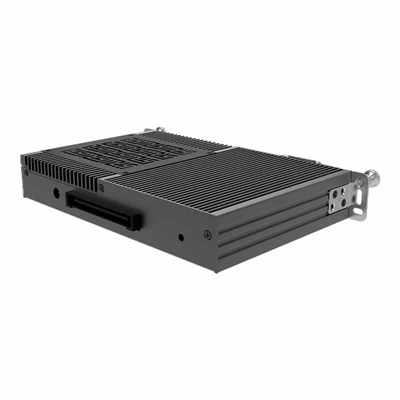
If you’re ready to check out what our mini PCs can do for your music production, reach out to our team to talk through your needs—whether you’re a beginner just starting out, or a seasoned producer looking to upgrade your rig without the bulk. We can help you pick the right unit for the number of tracks, plugins, and workflows you use, no gimmicks, no overpriced specs.
HJS OPS-C References:
- Ableton. (2023). Live 11 System Requirements. Retrieved from Ableton official documentation
- Steinberg. (2024). Cubase Pro 13 Performance Guidelines for Small Form Factor Devices. Steinberg Product Support Notes
- Recording Magazine. (2023). Mini PCs for Production: Testing Latency and Stability for Bedroom Studios. Independent audio equipment review
- Intel. (2024). 13th Gen Intel Core Processor Power Management for Audio Workstations. Intel Developer Zone Technical Brief
Shenzhen HJS Technology Group
Shenzhen HJS Technology Group is one of the most experienced mini pc manufacturers and suppliers in China, featured by quality products and good service. Please rest assured to buy CE approved mini pc made in China here from our factory. For price consultation, contact us.
Address: F10, Wanhe Technology Building C, No. 7 HuiTong Road, Fenghuang Street, Guangming New District, Shenzhen. China.
E-mail: info@hjs-pc.com
WebSite: https://www.hjs-pc.com/
